


On this page
On Turo the host sets a daily distance limit at or above Turo's minimum, which is 200 miles a day for standard vehicles in the US. If a guest drives further than the trip includes, you have 72 hours after the trip ends to invoice the extra miles. Turo sets the per-mile rate at booking: your daily price divided by your daily distance.
How many miles can you include?
You choose the number, inside a floor Turo sets from the car's value and location. You can go higher or offer unlimited distance. You can't go lower.
| Minimum per day | US and UK | France | Australia and Canada |
|---|---|---|---|
| Standard vehicles | 200 mi | 200 km | 300 km |
| Deluxe Class | 100 mi | 150 km | 200 km |
| Super Deluxe Class | 75 mi | 100 km | 100 km |
Longer trips follow your discounts. With a weekly discount under 15%, the weekly limit is simply your daily figure times seven, so 200 miles a day becomes 1,400 a week. Set the weekly discount at 15% or more and Turo unlocks its lower weekly minimum: 1,050 miles in the US and UK.
Monthly trips work the same way with a higher bar. The US monthly minimum is 3,300 miles for standard vehicles and 1,800 for Deluxe and Super Deluxe.
How is the per-mile rate worked out?
You don't set it. Turo calculates it when the trip is booked: your daily price divided by your daily distance. What reaches you depends on your earnings plan.
A car priced at $60 a day with 200 miles included works out to $0.30 a mile. A guest who comes back 86 miles over owes $25.80 before Turo's fees.
Now raise the same car to 300 included miles. The rate drops to $0.20 a mile. More included miles makes the listing friendlier and the overage cheaper, both at once. That's the trade you're making when you move the slider.
The guest sees a little more than you do. On top of the distance charge, Turo adds a 3% processing fee on their side, and an airport fee where one applies. Worth knowing before you quote a number in a message.
How do you charge for extra miles?
You have 72 hours from trip end. That's a much shorter clock than tolls, so do it at checkout while the photos are fresh.
- Open the trip.Go to its Details page and select Create or view invoices, then Create invoice.
- Choose Additional distance.Then Continue.
- Check the number.Turo auto-fills the extra miles from the odometer photos. If it's right, confirm it.
- Fix it if it's wrong.Enter the correct number and attach odometer photos from before and after the trip. They need metadata showing date, time and geolocation.
- Add to invoice and send.The guest has 48 hours to pay or dispute.
If the guest disputes it, you get 72 hours to cancel and resubmit, or to escalate to Turo support. And if the same trip also came back late, that's a second invoice. Turo doesn't let an incidental cost like distance share an invoice with a policy issue like a late return.
What evidence holds up?
Turo prompts the guest for an odometer photo at check-in and again at checkout, and those two photos are the record it works from. Your job is to make sure a clean pair exists.
- Your own odometer photo before the trip, taken with location on.
- Your own odometer photo at return, same settings.
- The trip's included distance, as shown on its Details page.
- The guest thread in Turo messaging, untouched.
Take yours even when the guest takes theirs. A blurry dashboard photo at 6 am is the usual reason a number gets argued about.
What can't a distance limit do?
It can't tell a guest where to go. Turo is direct on this: neither distance limits nor hosts can restrict where guests are allowed to drive. A limit prices the miles. It doesn't draw a border.
It also moves with the trip. If a shortened trip is approved, Turo adjusts the included total to the new number of days. And some hosts skip the question entirely, either by including unlimited distance or by offering unlimited mileage as a paid Extra.
What does this mean at your stage?
Included miles are a pricing decision on one car and a policy across a fleet. Find yourself below.
Start at the minimum and watch what guests actually drive.
You don't know your market yet, so don't guess. Starting on Turo gives you the floor, the rate and the invoice flow ready-made. After ten trips you'll know whether your guests are airport-to-hotel or road-trippers.
Set limits by car, not by habit.
The commuter sedan and the road-trip SUV shouldn't carry the same number. Look at which cars come back over and decide whether that's revenue you want or wear you don't.
Make the 72 hours somebody's job.
At this size the miss is rarely the guest. It's the invoice nobody sent because checkout happened at 11 pm. Put additional distance on the checkout checklist and review the overage totals monthly.
Write the number and the rate into the agreement.
On a direct rental nothing is calculated for you. State the included miles and the per-mile rate, photograph the odometer at handover and return with the renter present, and both sign off the readings.
Miles driven, next to miles included.
Qarhami is a trip-aware rental fleet operating system for Turo hosts and private rental operators. It reads each drive against the trip it belongs to, so the distance a guest covered sits beside the distance the trip included.
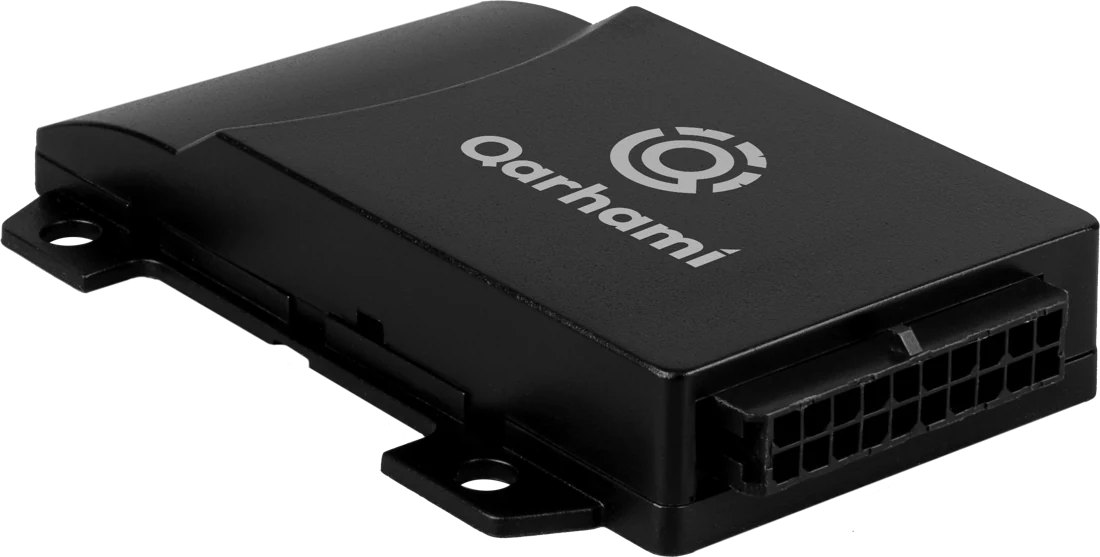
That gives you the number before the argument starts. Turo still works from the odometer photos, so take them every time and let the trip record back them up.
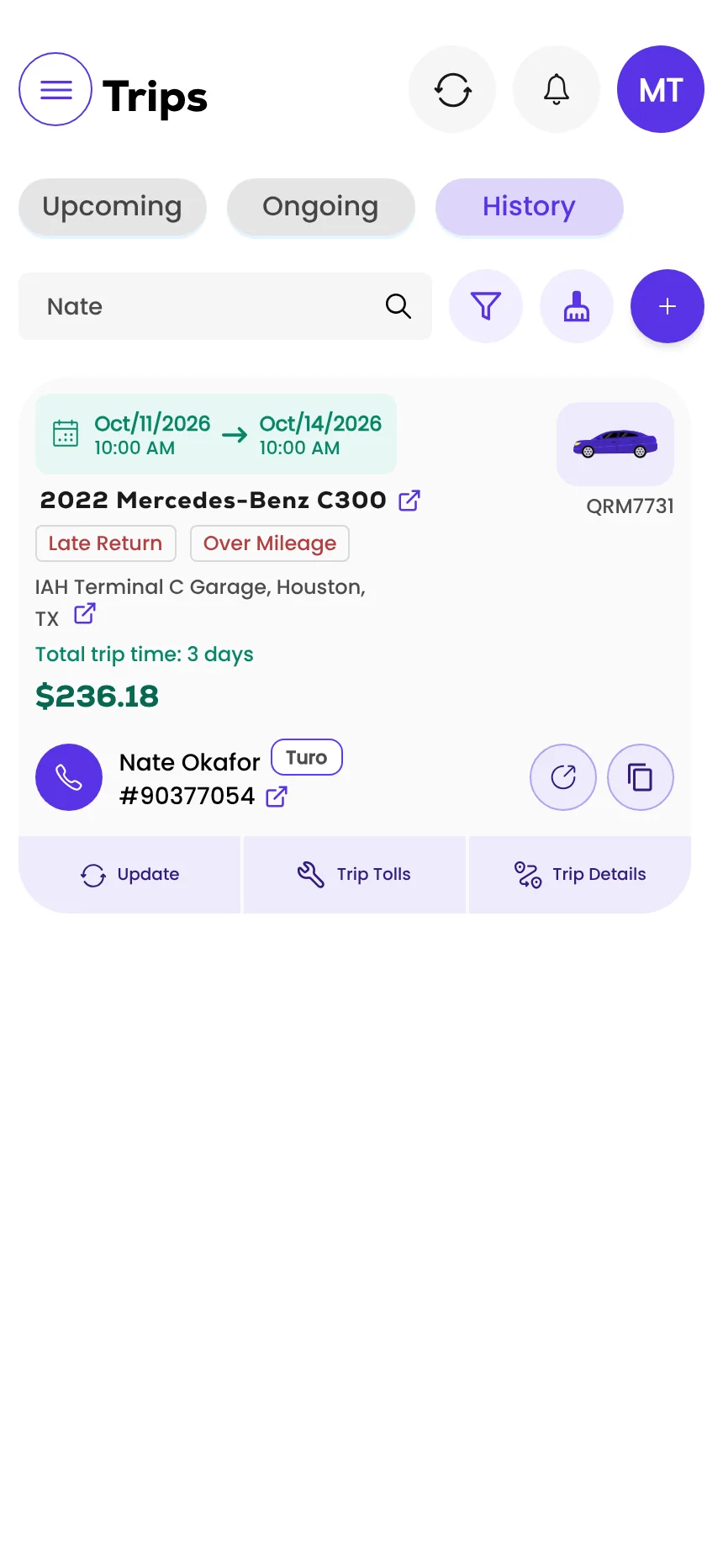
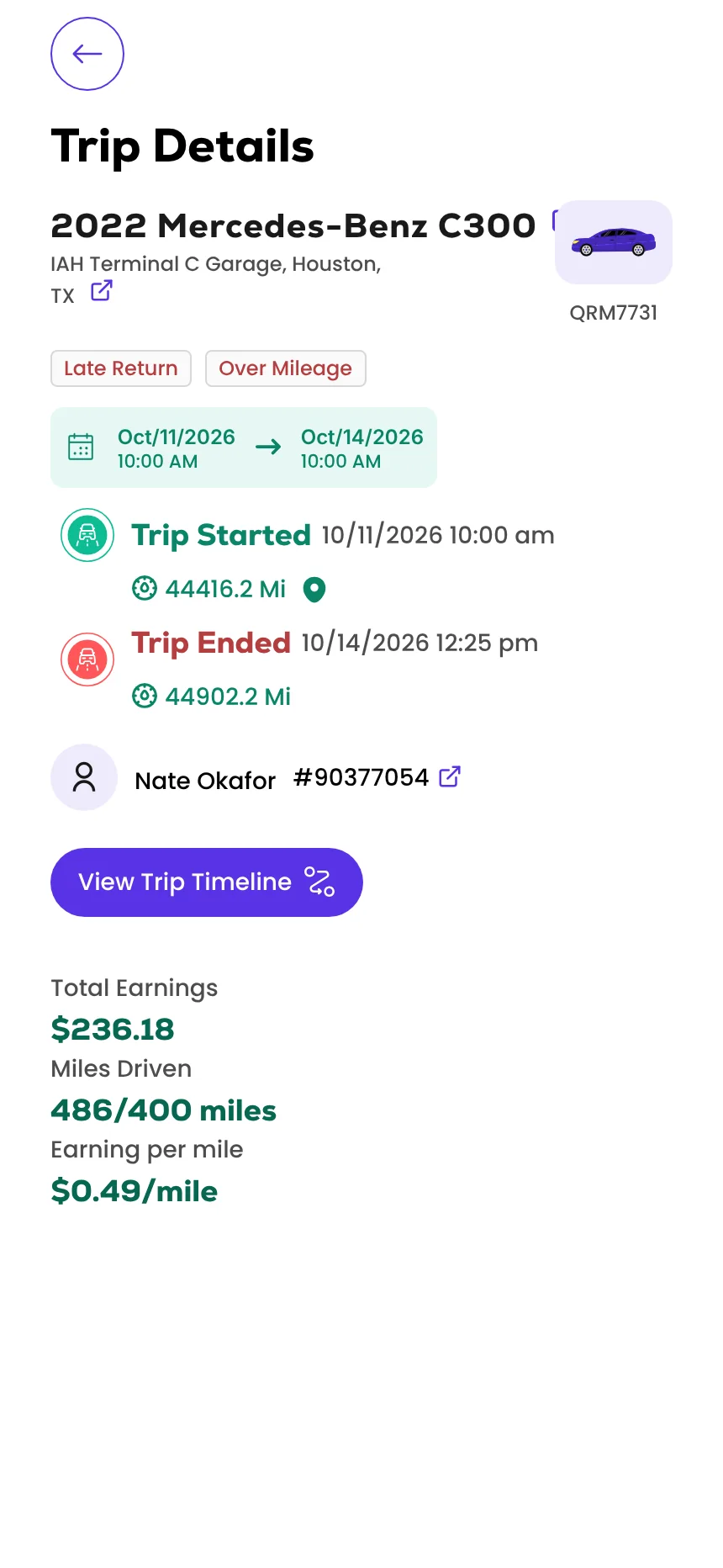
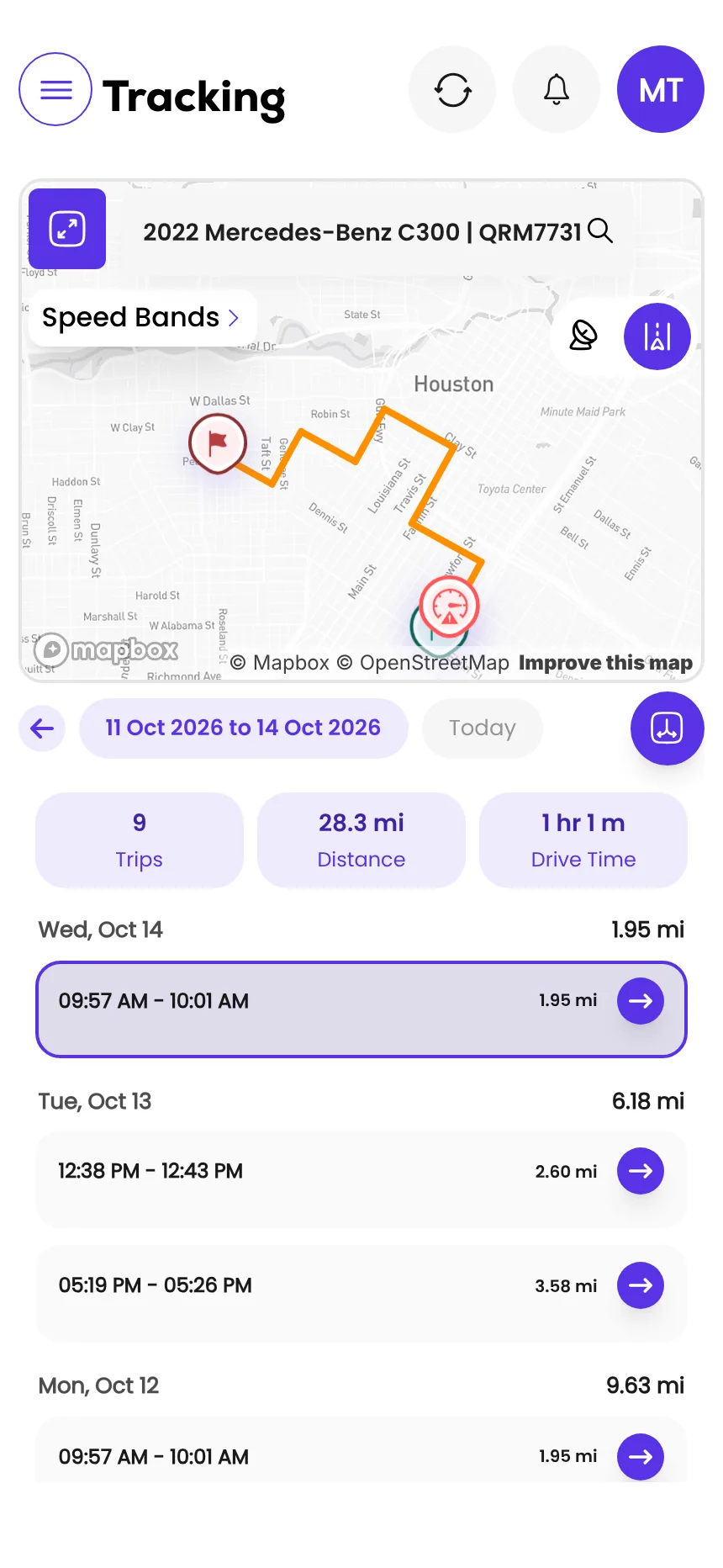
Screens from the Qarhami app running on demo data. Vehicles, guests and plates are fictional.
What changed since the last review?
- First published, from Turo's distance limits page as updated 29 June 2026, its additional distance page for hosts as updated 29 July 2026 and its reimbursement invoice guidelines as updated 21 September 2026.
Frequently asked questions
What is the mileage limit on Turo?
The host sets it. Each vehicle has a daily distance limit at or above Turo's minimum, or unlimited distance. In the US and UK the minimum is 200 miles a day for standard vehicles, 100 for Deluxe Class and 75 for Super Deluxe Class.
How much does Turo charge per extra mile?
There's no single rate. Turo calculates the cost per mile when the trip is booked by dividing the host's daily price by the daily distance. A car priced at $60 a day with 200 miles included works out to $0.30 a mile.
How long do I have to charge a guest for extra miles?
Hosts have up to 72 hours after a trip ends to invoice a guest for additional distance. The guest then has 48 hours to pay or dispute the invoice.
How do I charge for additional distance on Turo?
Open the trip to its Details page, select Create or view invoices, then Create invoice, choose Additional distance and confirm the number of extra miles. Turo auto-fills the number from the odometer photos. If it's wrong, enter the correct number and attach odometer photos from before and after the trip.
Can a distance limit stop guests driving out of state?
No. Turo says neither distance limits nor hosts can restrict where guests are allowed to drive. Turo has its own rules on where guests can take a vehicle.
Can I put extra miles and a late return on one invoice?
No. Turo lets you combine several incidental costs on one invoice, but an incidental cost such as additional distance can't share an invoice with a policy issue such as a late return.
What should you do this week?
- Open each listing and note its daily distance limit and what that makes the per-mile rate.
- Add an odometer photo to your handover and return routine, with location on.
- Put additional distance on your checkout checklist so the 72 hours never lapses.
- Check your weekly discount: at 15% or more, the weekly limit can drop to Turo's minimum.
- Review last month's trips for overages you never invoiced.
Sources
- Turo: Setting distance limits · updated 29 Jun 2026 · read 12 Nov 2026
- Turo: How to charge guests for additional distance (hosts) · updated 29 Jul 2026 · read 12 Nov 2026
- Turo: Driving distance included in a trip (guests) · updated 16 Apr 2026 · read 12 Nov 2026
- Turo: Reimbursement invoice guidelines (hosts) · updated 21 Sep 2026 · read 12 Nov 2026

Rental Operator Circle editorial. Rental Operator Circle is the operator-led publication for Turo hosts and private rental operators, powered by Qarhami. Policy guides are checked against the platform's own pages, dated, and reviewed by a working operator before they publish.
This guide explains platform policy. It is not legal advice. Spotted something out of date? Tell us at support@qarhami.com and we'll re-check it.