


On this page
A Turo trip is late once the car is 30 minutes past its scheduled end with no extension. From 30 minutes the guest is charged half the average daily trip price; from two hours, a full average day plus a $20 late return fee. Message the guest first, wait 30 minutes, then report it in the app within 24 hours of trip end.
What does a late guest actually pay?
Turo calls it additional usage: the guest kept the car past trip end without an approved extension. The charge steps up twice.
Amounts are in local currency. A separate $50 improper return fee can apply to guests for things like going unresponsive or abandoning the car.
Your share lands with the trip payout and follows your earnings plan. One catch worth knowing: if the guest successfully extends after you've reported, Turo drops the report and no extra charge is issued. Guests can ask for an extension up to 24 hours after the scheduled end.
What do you do, in what order?
The first half hour decides whether this is a late fee or a lost afternoon. Work it in order.
- Message the guest in Turo.Ask where they are and when they'll be back. If the car is free afterwards, tell them to request an extension so everyone stays covered.
- Give it 30 minutes.Turo asks hosts to wait at least 30 minutes past the scheduled end before reporting. The car's protection stays active in that window.
- Check what the car says.Where is it, and is it heading your way? Write down the scheduled end, the time now and the location. You'll want all three later.
- Report it in the app.Trips, then the late trip, then Details, then Report Issue. Pick "Late return: Vehicle not returned" or "Late return: Vehicle returned". Do it within 24 hours of trip end.
- Let support work it.Turo allows itself 48 hours to review. Track it under My Tickets, and keep everything in Turo messaging.
Hi, your trip ended at [time] and the car isn't back yet. Are you on your way? If you need more time, please request an extension in the Turo app so you stay covered. Otherwise I'll need to report a late return at [time + 30 minutes].
What evidence should you keep?
Turo's pages don't list required evidence for a late return, so this part is our recommendation. A claim reads very differently when it arrives with times and numbers attached.
- The scheduled trip end, and the time the car actually came back.
- Odometer at trip start and trip end.
- Where the car was at the scheduled end time.
- The guest thread in Turo messaging, untouched.
- Your return photos, timestamped.
Trip scheduled to end at 10:00 am. The device records the trip ending at 12:25 pm. That's 2 hours 25 minutes late, which puts it in Turo's two-hour tier: one average day plus the $20 fee.
The same record shows 486 miles driven against 400 included. Two separate issues, one set of timestamps, nothing to argue about. Extra miles go on their own invoice: see Turo mileage limits and extra miles.
When is late no longer just late?
Most late returns are traffic, a flight, or a guest who lost track of time. A few aren't. Turo's report flow has a "Vehicle not returned" option for exactly that, and from there it's Turo's process and, where needed, law enforcement's.
Two things to hold onto when you're angry at 11 pm. Don't go and get the car yourself. And never interrupt the starter on a moving vehicle. For how to tell a late guest from something worse, read Late Return or Theft? Where the Line Sits.
What does this mean at your stage?
A late return costs a one-car host a booking and costs a 60-car team a morning of reshuffling. Find yourself below.
One late car can wreck your next booking. Leave a gap.
While you're learning, keep a buffer between trips so a late guest doesn't land on the next one. Starting on Turo helps here: the fee and the report path are already built. Walk through Report Issue once before you need it.
Back-to-back trips turn one late car into two problems.
Decide now who chases the late guest and who looks after the guest waiting. If you run a co-host, write down who owns the 30-minute mark on each shift.
Treat lates as a queue with an owner.
At this size it happens every week. One person owns the clock each day, reports at 30 minutes without debate, and logs repeat lates by pickup spot and trip length so you can price or buffer for them.
Your agreement is the late policy. Put numbers in it.
On a direct rental there's no platform fee to lean on. Write the grace period and the late rate into the agreement the renter signs, and keep the same evidence you'd keep on Turo.
Evidence for a dispute you didn't start.
Qarhami is a trip-aware rental fleet operating system for Turo hosts and private rental operators. It reads each drive against the Turo trip it belongs to, so a late return shows up as a late return.
When the clock runs past trip end, three screens carry the whole story.
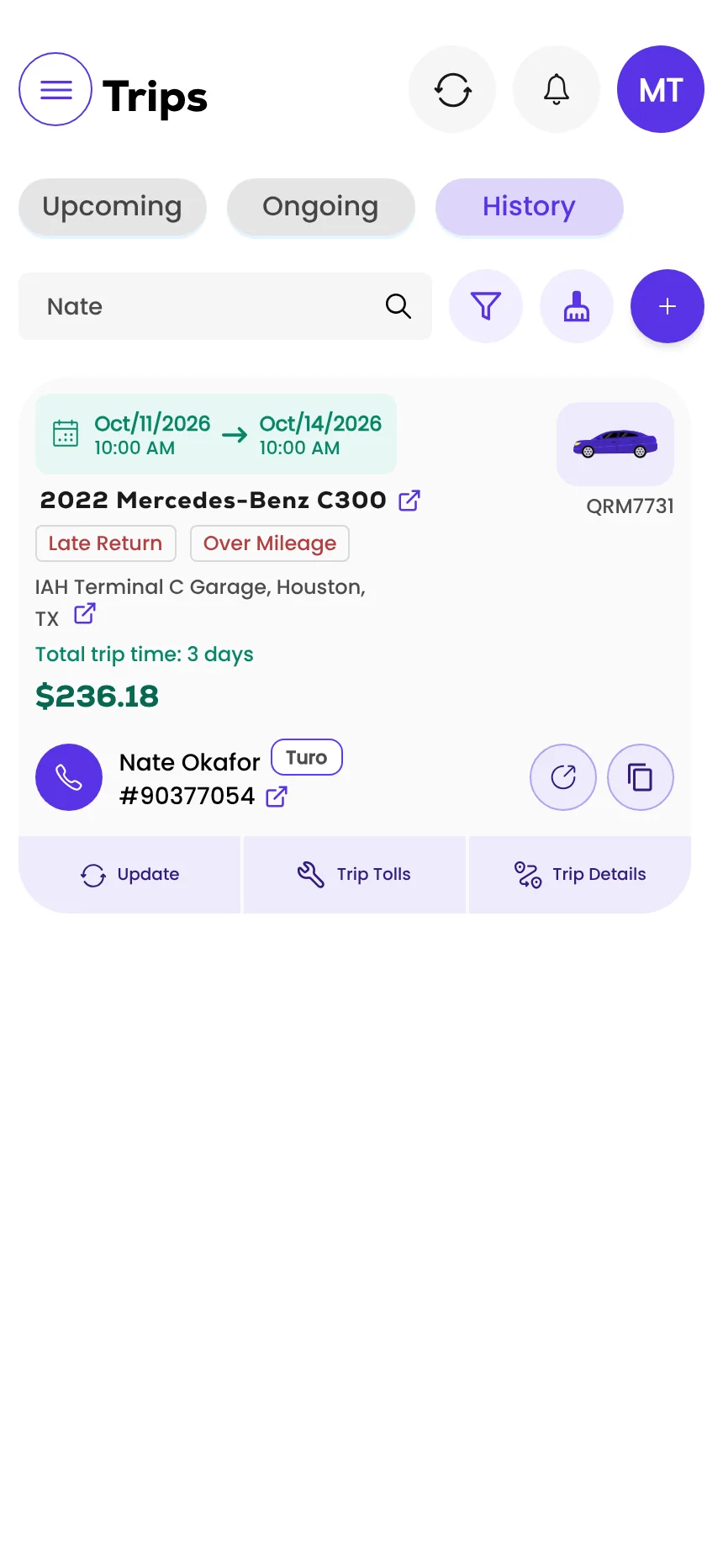
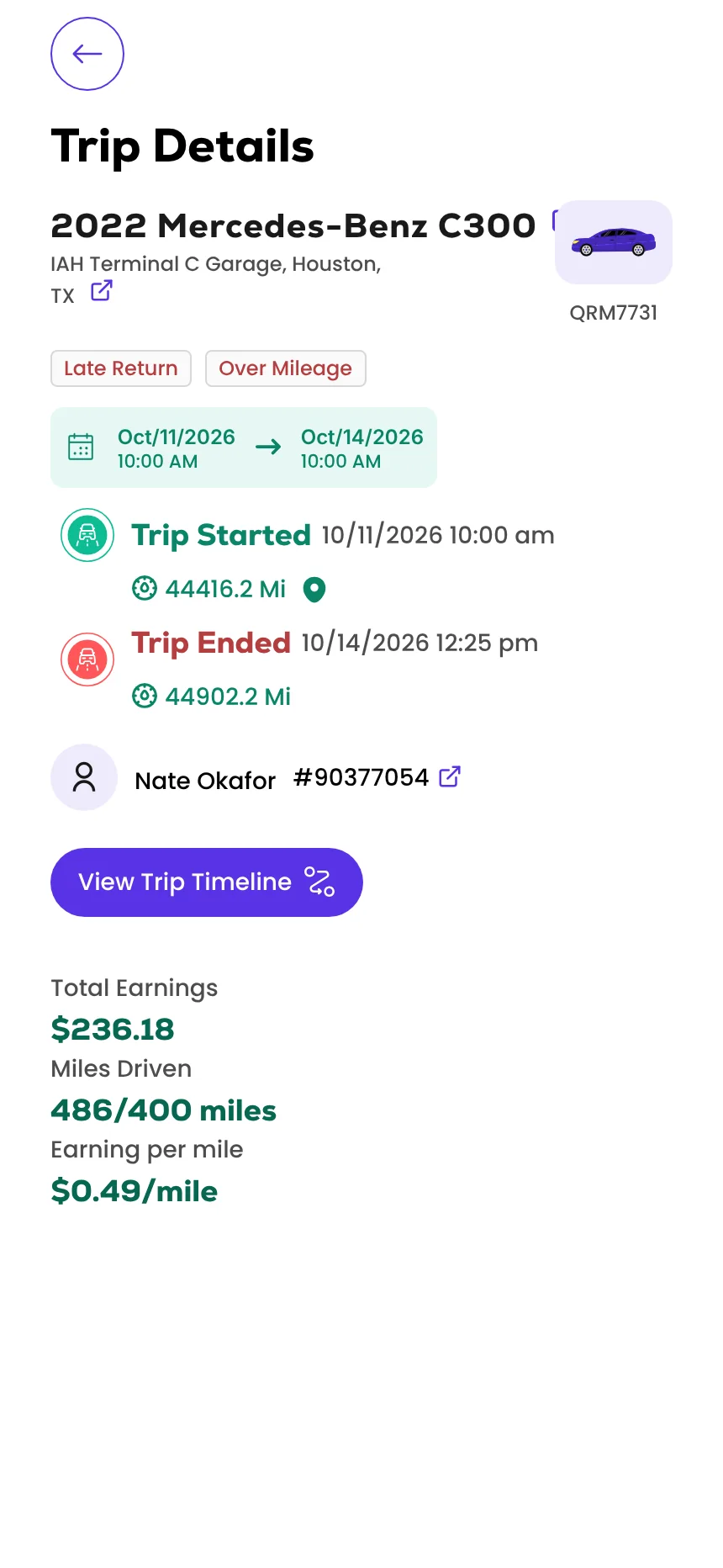
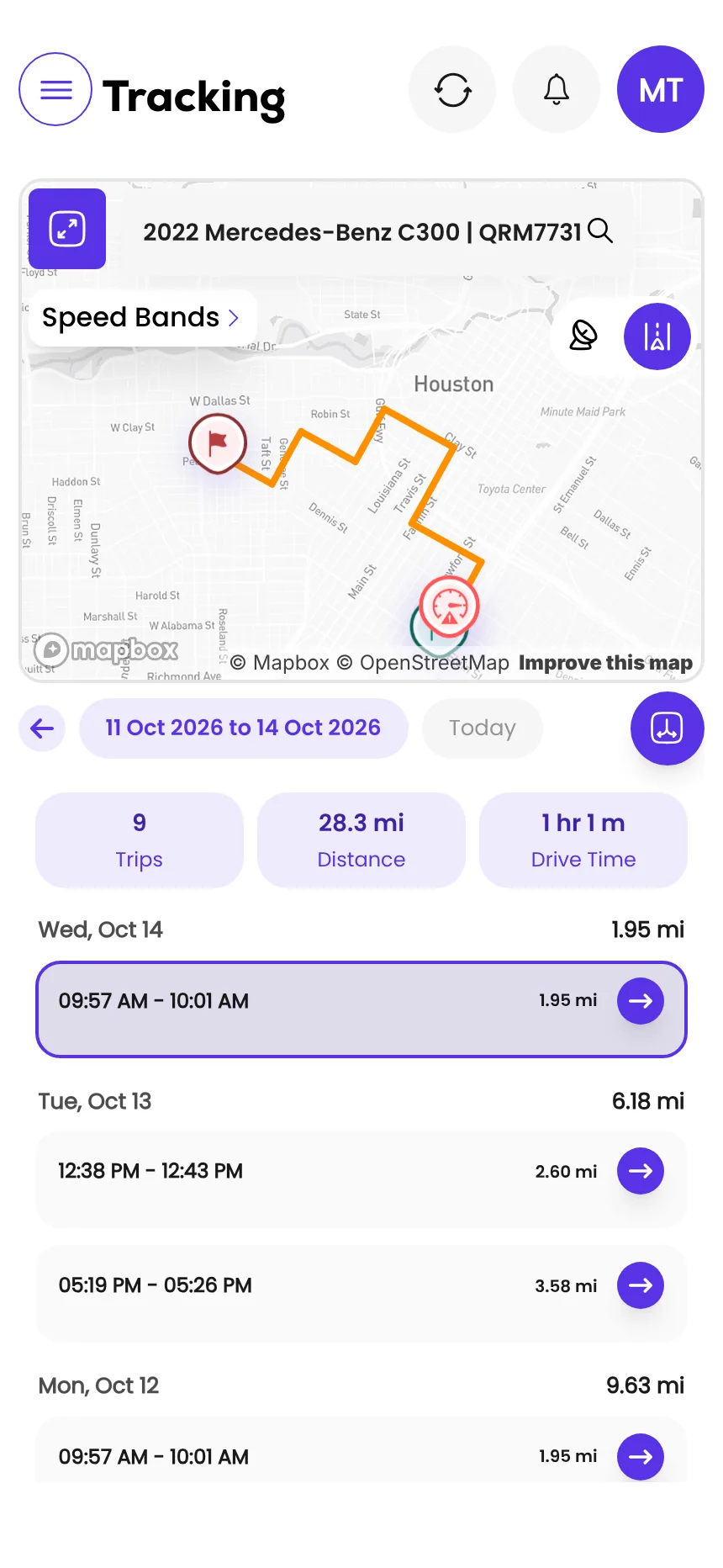
Screens from the Qarhami app running on demo data. Vehicles, guests and plates are fictional.
What changed since the last review?
- First published, from Turo's additional usage policy as updated 9 July 2026 and its late-return reporting guide as updated 16 April 2026.
Frequently asked questions
What is Turo's late return grace period?
A return that is 0 to 29 minutes past the scheduled trip end carries no charge. Turo also asks hosts to wait at least 30 minutes after the scheduled end before reporting a late return.
How much is the Turo late return fee?
From 30 minutes to 1 hour 59 minutes late, the guest is charged half the average daily trip price. At 2 hours or more, the guest is charged the average daily trip price for one day plus a $20 late return fee.
How do I report a late return on Turo?
Open the Trips tab, select the late trip, open its Details page and tap Report Issue. Choose 'Late return: Vehicle not returned' or 'Late return: Vehicle returned', answer the questions and confirm.
How long do I have to report a late return?
Report within 24 hours of the trip's scheduled end to stay eligible for the guest's additional usage fees. Turo support then has 48 hours to review.
What if the guest extends the trip after I report it?
If the guest successfully extends the trip after your report, Turo disregards the report and no additional charge is issued. Guests can request an extension up to 24 hours after the scheduled end.
Does the host get the late fee?
Your additional earnings are paid out with the trip payout. The amount depends on your host share, which is set by your earnings plan.
What should you do this week?
- Save the late-return message somewhere you can paste it from in ten seconds.
- Open a past trip and find Report Issue, so the path isn't new when it matters.
- Decide who owns the 30-minute mark if you host with someone else.
- Check your trip gaps for the next two weeks and add a buffer where a late car would hit the next guest.
Sources
- Turo: Additional usage policy (hosts) · updated 9 Jul 2026 · read 12 Nov 2026
- Turo: Reporting a late return · updated 16 Apr 2026 · read 12 Nov 2026

Rental Operator Circle editorial. Rental Operator Circle is the operator-led publication for Turo hosts and private rental operators, powered by Qarhami. Policy guides are checked against the platform's own pages, dated, and reviewed by a working operator before they publish.
This guide explains platform policy. It is not legal advice. Spotted something out of date? Tell us at support@qarhami.com and we'll re-check it.